
Following Smart Money with Stratus Signals
Stratus tracks buy signals from proven Solana traders in real time. Follow smart money wallets to catch tokens before they trend.
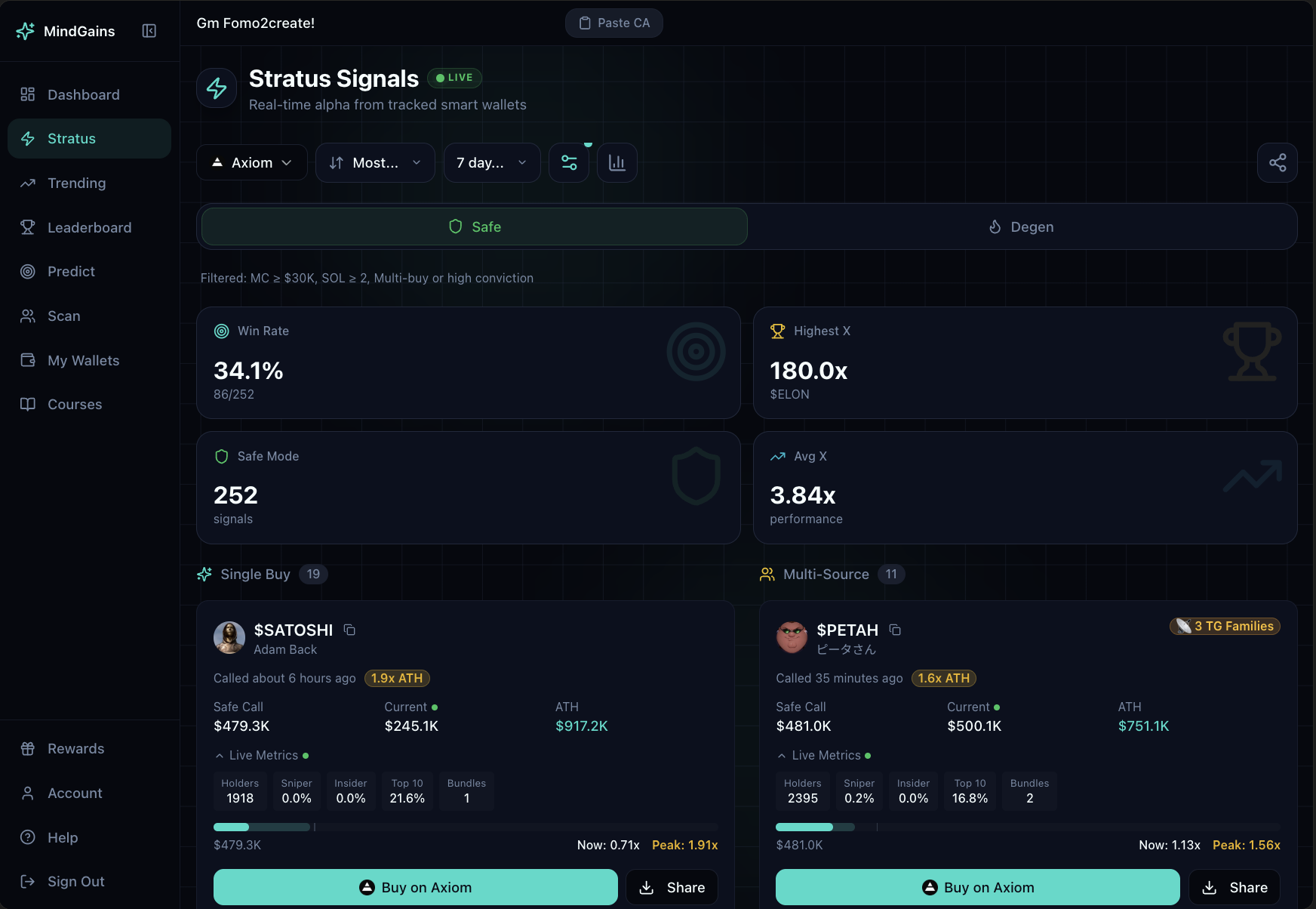
How Stratus Works
Stratus monitors high-performing wallets on Solana. When these wallets buy a token, you get a signal showing:
Token name and symbol with contract address
Market cap at entry and current value
Time elapsed since the buy
Live metrics: holders, sniper %, insider %, top 10 %, bundles
Performance: current value vs ATH multiplier
Signals appear as Single Buy (one wallet) or Multi-Source (multiple smart wallets buying the same token). Multi signals often have higher win rates.
Viewing Signals
Access Stratus from your dashboard widget or navigate to the full Stratus page. Signals appear in a live feed, most recent at the top.
Filter signals using:
Time range: Most Recent, 7 day history, or All time
Sort: Recent, ATH (highest multiplier), or Current performance
Platform: Filter by trading platform (Axiom, Trojan, etc.)
Safe/Degen toggle: Safe mode shows tokens ≥ $30K market cap; Degen mode shows all signals
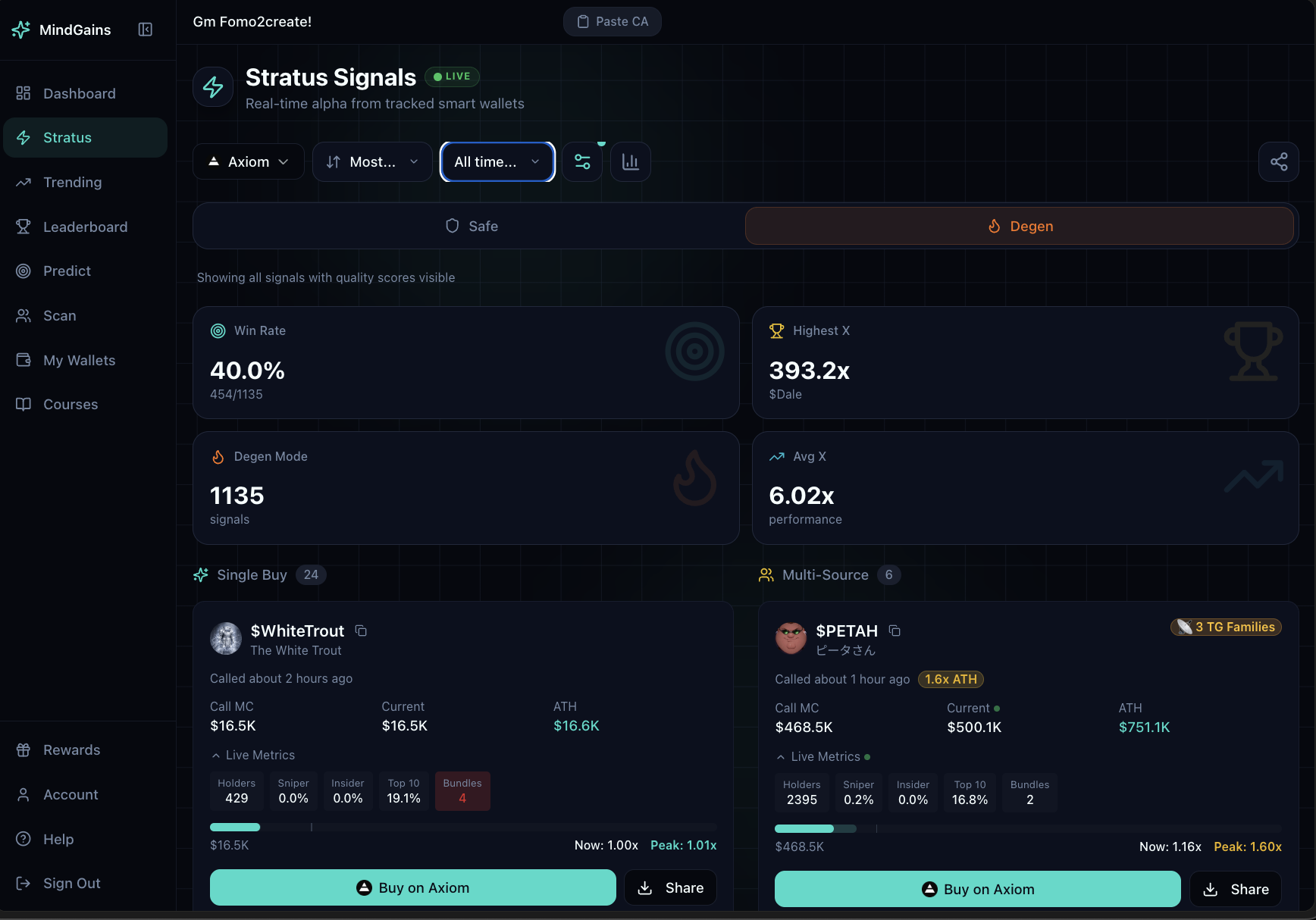
Switch between Safe and Degen mode using the toggle at the top. Safe mode filters out micro-cap tokens to reduce rug risk.
Performance Stats
At the top of the feed, aggregate statistics show:
Win Rate: Percentage of signals that went positive
Mode: Current filter mode with total signal count
Highest X: Best multiplier achieved (e.g., "180.0x")
Avg X: Average multiplier across all signals
Trading from Signals
Each signal includes "Buy on Axiom" and "Share" buttons. Click Buy to open the token on your preferred platform with the contract address pre-filled.
Notification Settings
Click the gear icon to configure alerts:
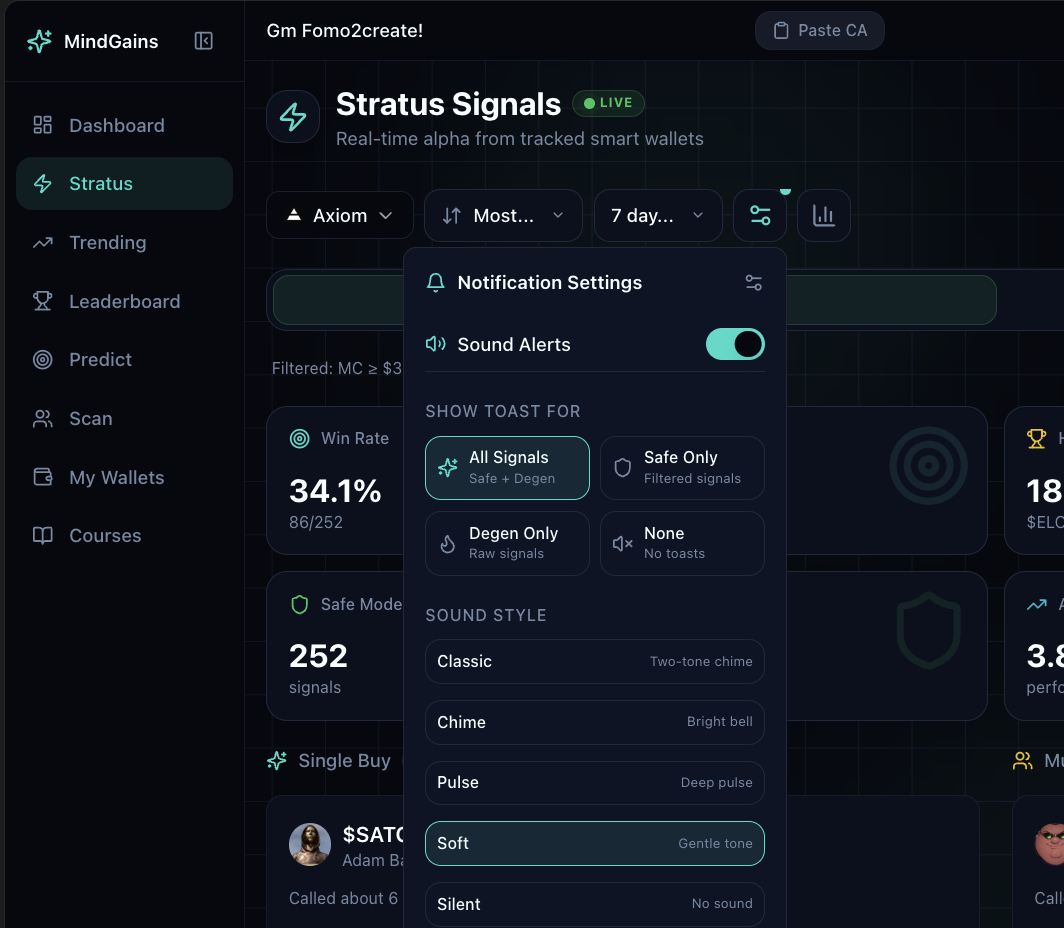
Sound Alerts: Toggle audio notifications on/off
Show Toast For: Display in-app notifications for All Signals, Safe Only, Degen Only, or None
Sound Style: Choose from Classic, Chime, Pulse, Soft, or Silent
Pro users can also link Telegram to receive DM notifications. See Getting Telegram Notifications for Stratus Signals for setup instructions.
Free vs Pro
Free users see the top 5 signals from the last 24 hours. Pro members get unlimited access to all signals, full historical data, custom notifications, and advanced filtering.
Upgrade to Pro ($99/mo or $649 lifetime) to catch signals in real time and set alerts for high-value wallet movements.