
Using Trader Scan to Find Profitable Wallets
Trader Scan finds profitable wallets that traded multiple Solana tokens you're researching. Analyze wallet overlaps to identify smart money traders invested in the same plays.
Starting a Scan
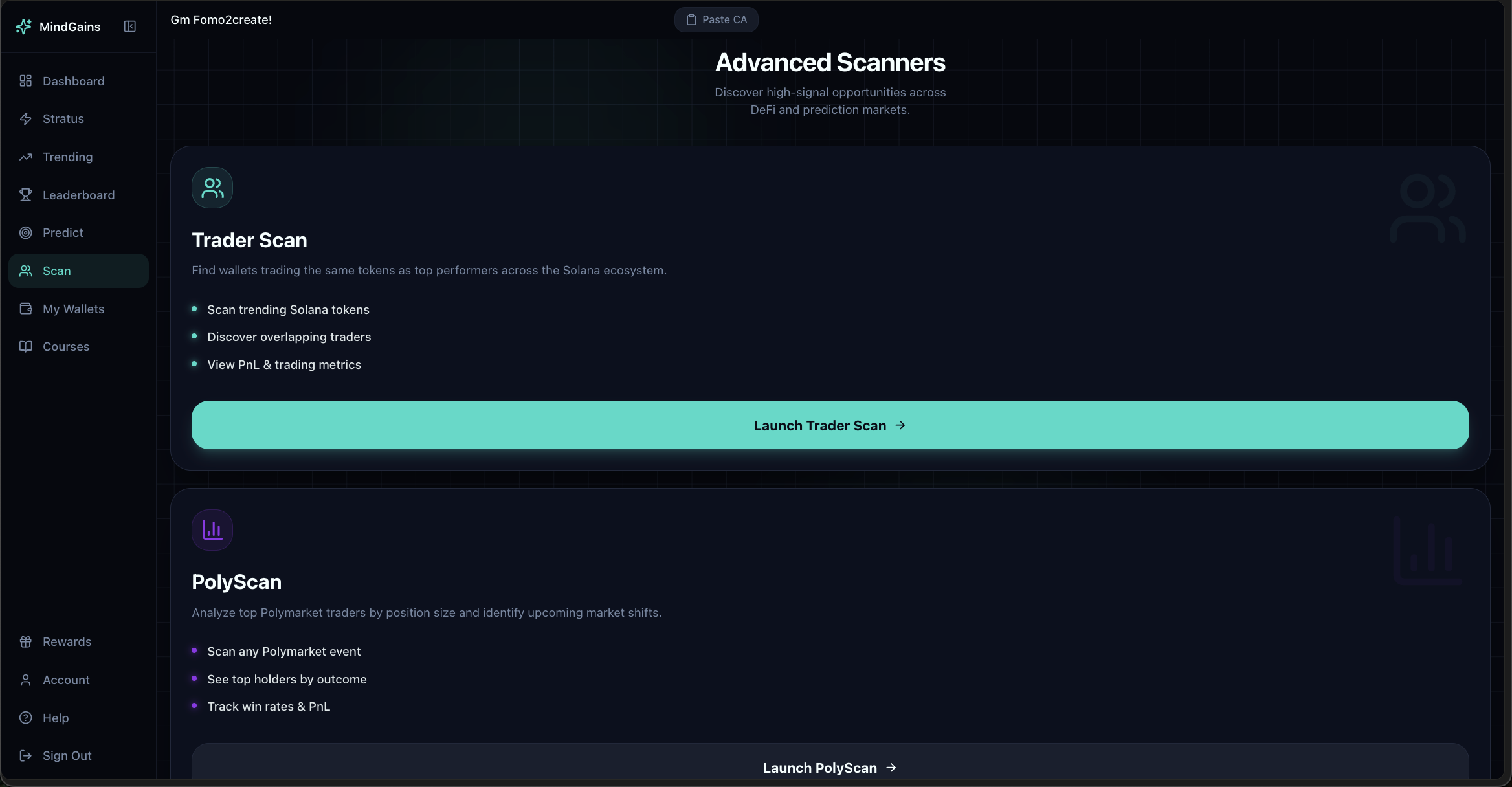
Navigate to Scan from the sidebar or use the Advanced Scanners page. Click Launch Trader Scan.
Adding Tokens
You can add tokens to scan in three ways:
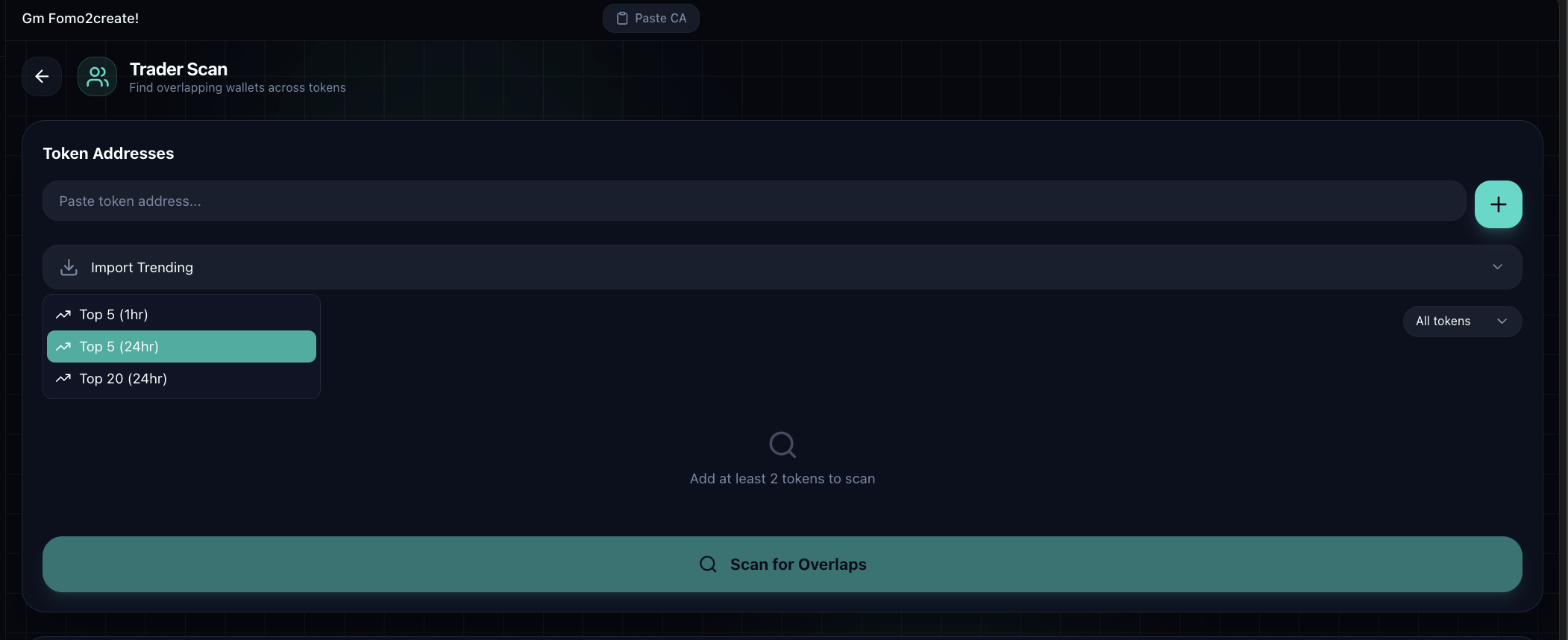
Paste contract addresses: Enter 2+ token CAs in the address fields
Import trending tokens: Click "Import trending" to add popular tokens automatically
Use presets: Select "Top 5 (24hr)", "Top 10 (24hr)", or "Top 20 (24hr)" to load trending tokens by timeframe
After importing or pasting, your tokens appear in a list:
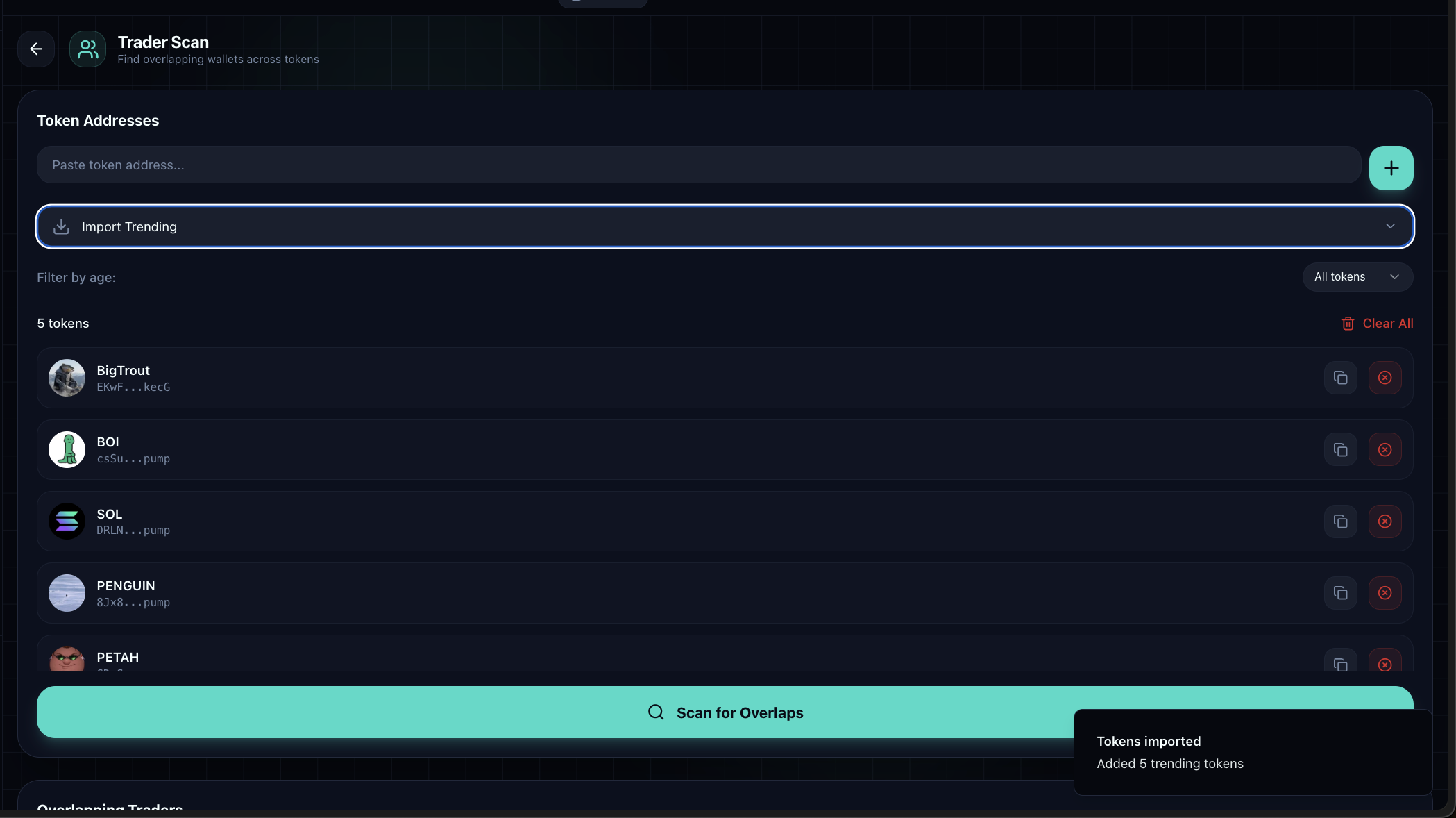
Click Scan for Overlaps to find wallets holding all or most of your selected tokens.
Understanding Results
The results table shows wallets ranked by overlap and performance:
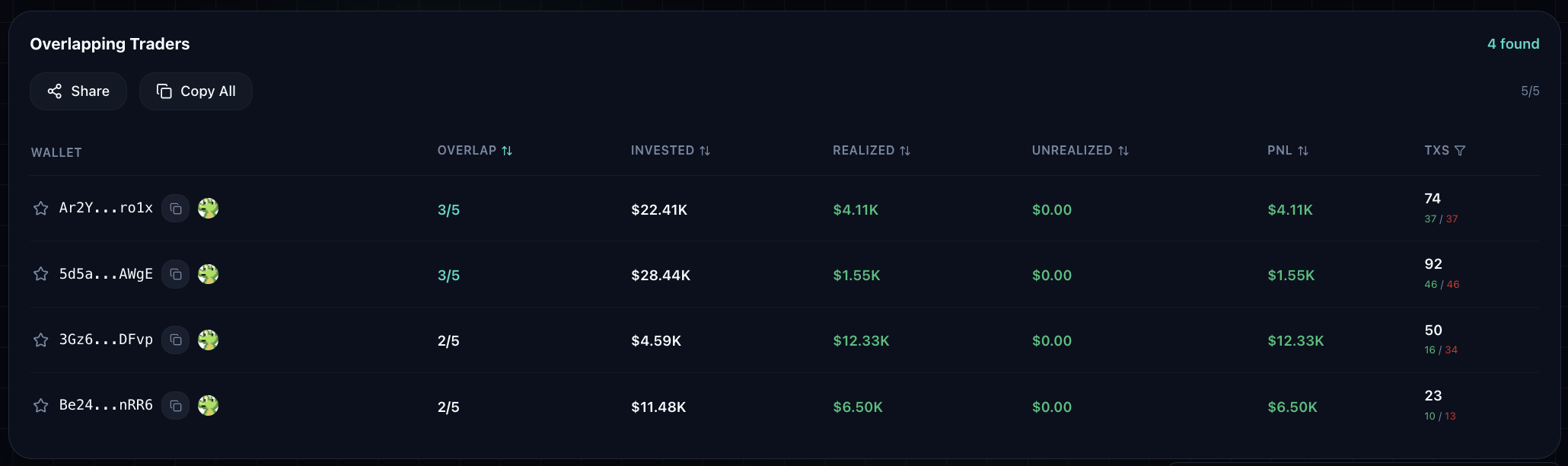
Each wallet displays:
Wallet address: Truncated address (click to copy full address)
Overlap: How many of your scanned tokens this wallet holds (e.g., "5/7")
Invested: Total amount invested across these tokens
PNL: Profit or loss (realized + unrealized)
Txs: Number of buy and sell transactions
Sort results by clicking any column header. Higher overlaps typically indicate wallets with strategies similar to your research focus.
Look for wallets with high overlap (4+/5) and positive PNL—these traders are profiting from the same tokens you're researching.
Actions
Copy wallet addresses: Click individual addresses or use "Copy All" to grab all wallet addresses
Star wallets: Save profitable wallets to My Wallets for ongoing tracking (Pro only)
View on GMGN: Click the GMGN link to see full wallet activity on external trackers
Export results: Download scan results as PNG to share or archive
Free vs Pro
Free users get 1 scan per day with a cooldown timer. Pro members ($99/mo or $649 lifetime) get unlimited scans with no waiting.
If you hit the daily limit, you'll see "Next free scan in: Xh Xm Xs" displayed on the page.