
Getting Telegram Notifications for Stratus Signals
Pro users get instant Telegram DM notifications for Stratus signals, sports picks, and wallet activity. The Mind Gains bot delivers real-time alerts and lets you configure exactly what you want to receive.
This feature requires an active Pro subscription. Free users will see an upgrade prompt when attempting to link Telegram.
How to Link Your Telegram Account
Navigate to Stratus from your dashboard sidebar
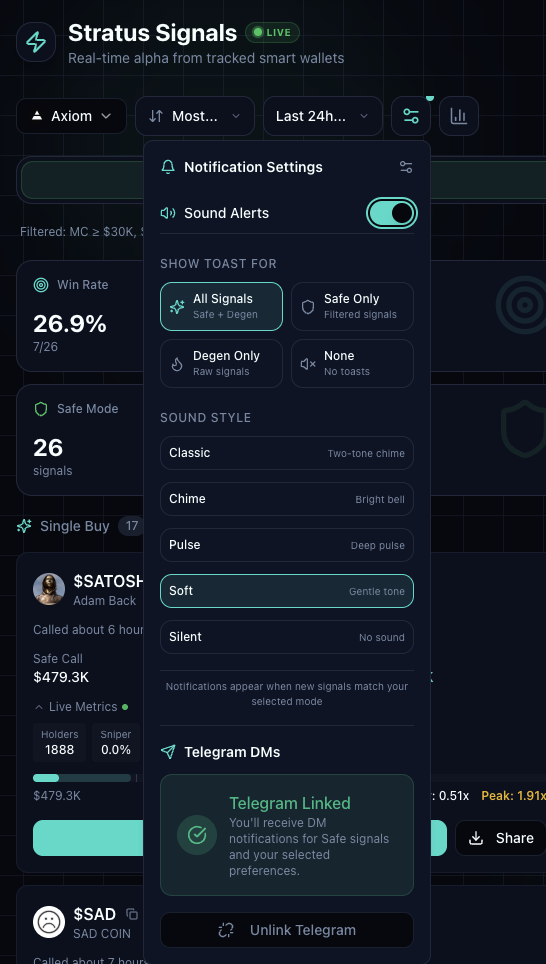
Click the gear icon in the toolbar to open Notification Settings
Under the "Telegram DMs" section, click Link Telegram Bot
Telegram will open automatically with a message thread to the Mind Gains bot
The bot will send a 6-digit verification code
Enter the code in the verification field and click Verify
When setup completes, you'll see a "Telegram Linked" confirmation. The gear icon will show a green indicator when notifications are active.
Bot Commands
Once linked, message the bot directly to access these commands:
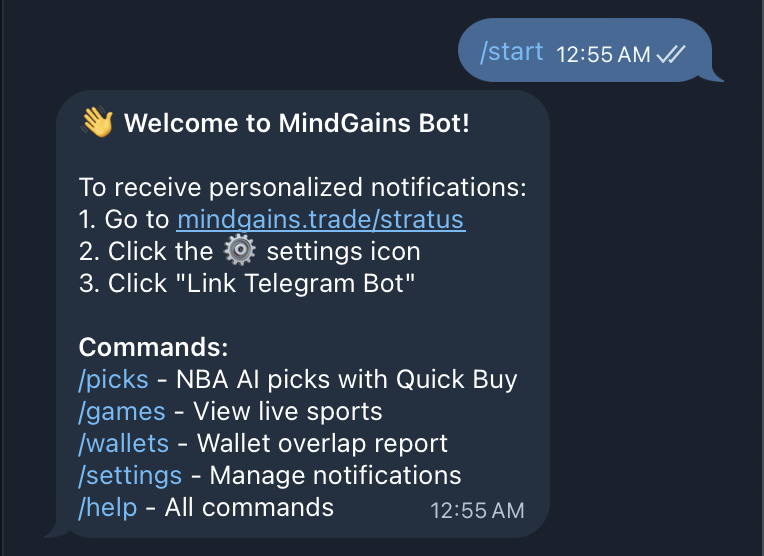
/picks — View today's NBA picks with Elite (85%+ win rate) and Verified (76%+ win rate) tiers, including quick buy links and season stats
/games — See upcoming and live prediction market games
/wallets — Access your saved wallets and recent activity
/settings — Configure notification preferences (detailed below)
/help — Get command help and support info
Daily NBA Picks with /picks
The /picks command shows AI-generated NBA picks for the day. Each pick includes the matchup, confidence rating, tier (Elite or Verified), and quick buy option via DM. Season performance stats are displayed at the bottom.
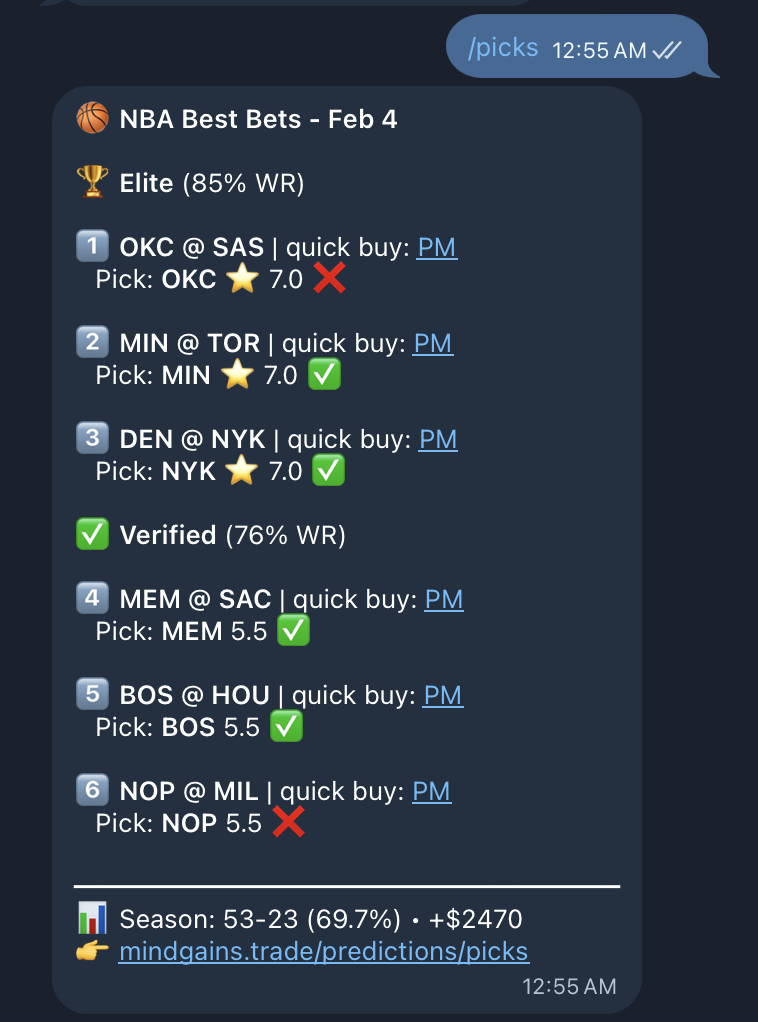
Elite picks indicate all 3 AI models agree with 85%+ historical accuracy. Verified picks show strong model alignment with 76%+ accuracy.
Configuring Notifications with /settings
Use the /settings command in Telegram to toggle which notifications you receive. Tap the buttons to enable or disable each type:
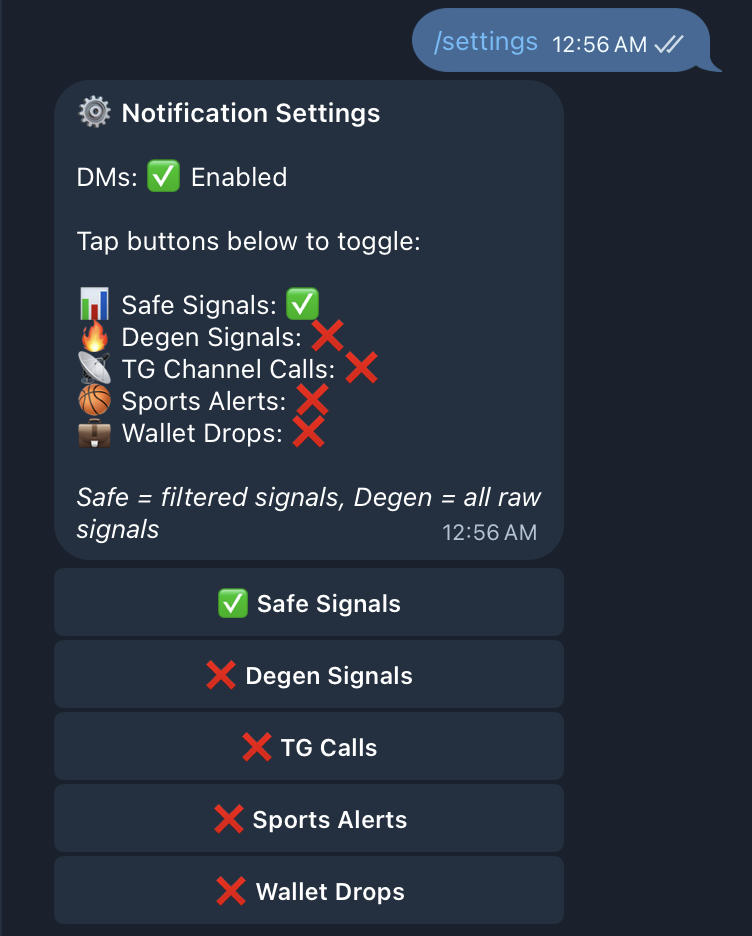
Safe Signals — Filtered Stratus signals with market cap ≥ $30K (enabled by default)
Degen Signals — All raw Stratus signals without filters
TG Channel Calls — New calls from channels you've favorited in Corvus
Sports Alerts — Automated daily NBA picks and game updates
Wallet Drops — Activity alerts from wallets you're tracking
You can also configure notification settings from the desktop app in Stratus > Notification Settings. Changes sync across both Telegram and in-app notifications.
Desktop Notification Settings
In the Stratus gear menu, you can customize:
Sound Alerts — Toggle sound on/off and choose alert style (Classic, Chime, Pulse, Soft, Silent)
Show Toast For — Display in-app notifications for All Signals, Safe Only, Degen Only, or None
Telegram DMs — View link status and unlink your account
Settings save automatically and apply to both platforms immediately.
Didn't receive your verification code? Click "Open Telegram again" in the setup dialog to request a new code.
Unlinking Your Account
To stop receiving Telegram notifications, either:
Open Notification Settings in Stratus and click Unlink Telegram
Message the bot and use /settings to disable all notification types
You can re-link anytime by repeating the setup process.